- 1. User Registration
- We engineered a secure, user-friendly registration module. This allows the client to manage access control effectively while ensuring that all participants can quickly initiate their workflows within the platform.
- 2. Niche Management
- This module enables writers to categorize their work by genre. It allows the client to match specific content requirements with the most suitable writers, ensuring high-quality delivery for every project.
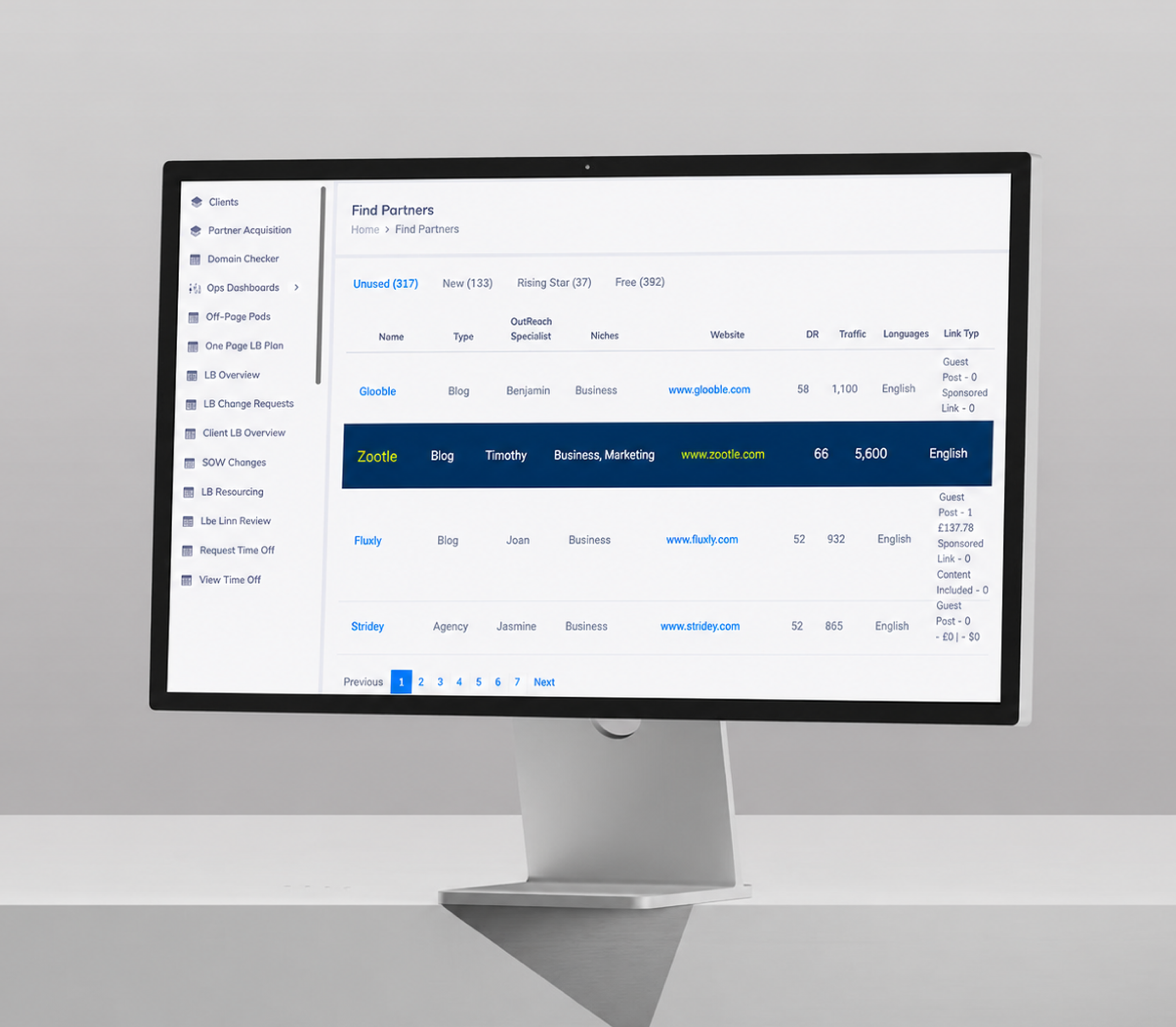
- 3. Find Suitable Partners
- We built a partner discovery engine that categorizes websites by status. This enables the client to identify and collaborate with relevant brands efficiently to expand their link building reach.
- 4. Request Article
- This feature allows writers to request specific guest post details like keywords and word counts. It helps the client maintain a structured portfolio and ensures alignment with client-specific goals.
- 5. Article Management
- We developed a centralized content master tab for admins. This provides full visibility into submitted blogs, allowing the client to maintain strict quality control over all published content assets.
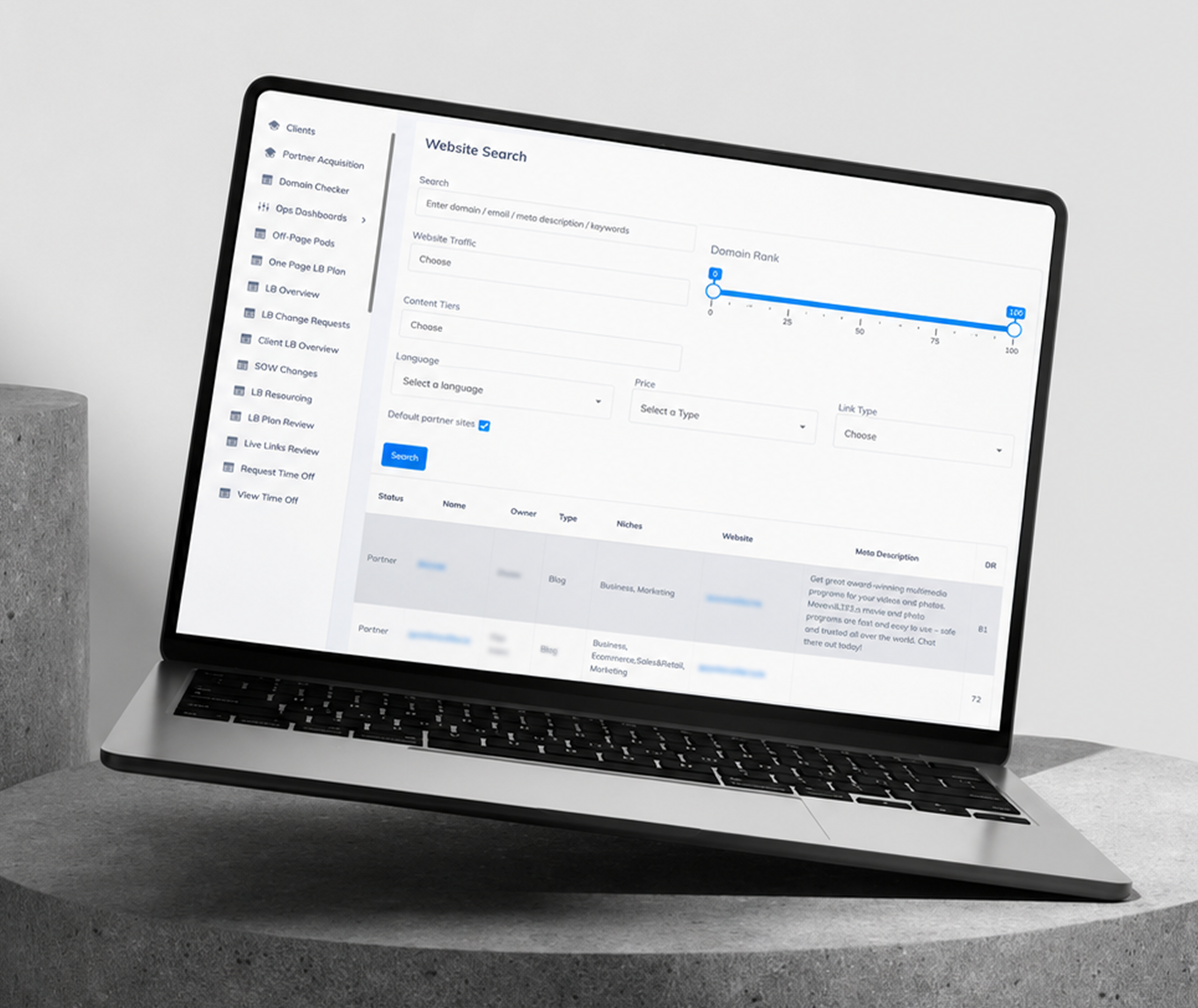
- 6. Website Search
- The search functionality allows users to filter websites based on specific requirements. It enables the client to quickly connect with relevant partners to facilitate seamless collaboration and link building.
- 7. Client Homepage
- This dashboard provides the admin with a comprehensive view of all client activities. It enables the client to analyze performance data and manage company descriptions for better operational oversight.
- 8. Client Management
- We created a robust management interface for handling client details. This allows the admin to share data, build links, and edit information, ensuring all client records remain accurate and updated.
- 9. Domain Checker
- This tool allows admins to upload CSV files to validate domains. It enables the client to maintain a clean database by removing existing entries and ensuring only relevant domains remain.
- 10. Link Building Overview
- We implemented a detailed reporting dashboard that tracks monthly link performance. This provides the client with clear, column-based data on pitches, writing progress, and live link acquisition metrics.
- 11. Time Off Calendar
- This calendar module tracks writer availability and leave schedules. It enables the client to plan content production cycles accurately, preventing bottlenecks caused by unexpected gaps in writer capacity.
- 12. Add New Client/User
- We engineered a secure administrative portal for onboarding new clients and users. This allows the client to manage system access by defining roles and GSC domain information with ease.
- 13. User/Client Creation
- This management interface allows admins to edit or disable user accounts. It ensures the client maintains full control over platform access and keeps user roles organized and secure.
- 14. Niche Requirements
- This functionality tracks specific client needs within various niches. It enables the client to identify resource gaps early, ensuring a steady supply of writers for every project requirement.
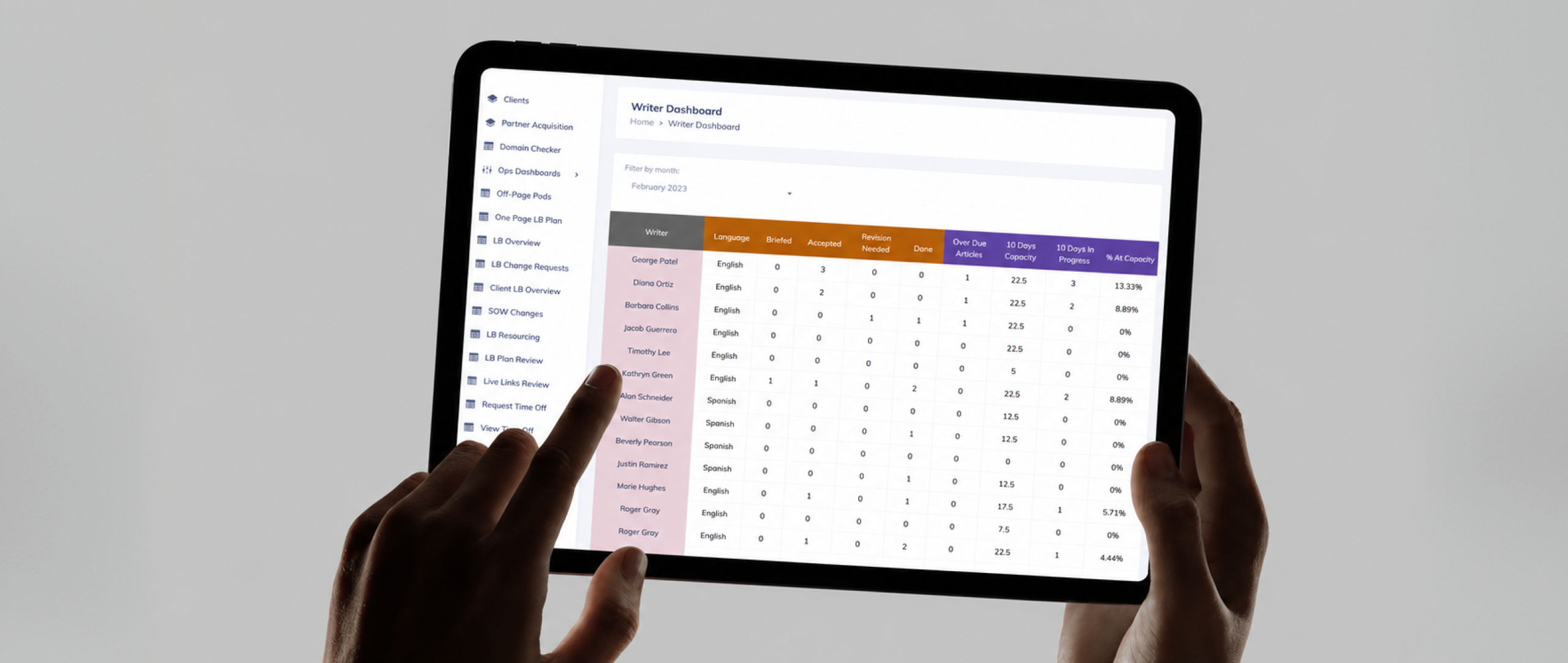
- 15. Writers Dashboard
- We built a comprehensive analytics view for monitoring writer productivity. This allows the client to track article activity and overdue tasks, ensuring all projects meet their designated deadlines.