Empower TC
Transaction Management Software
services
Web Application Development
industry
Real Estate
duration
3 Months
country
United States
Project Overview
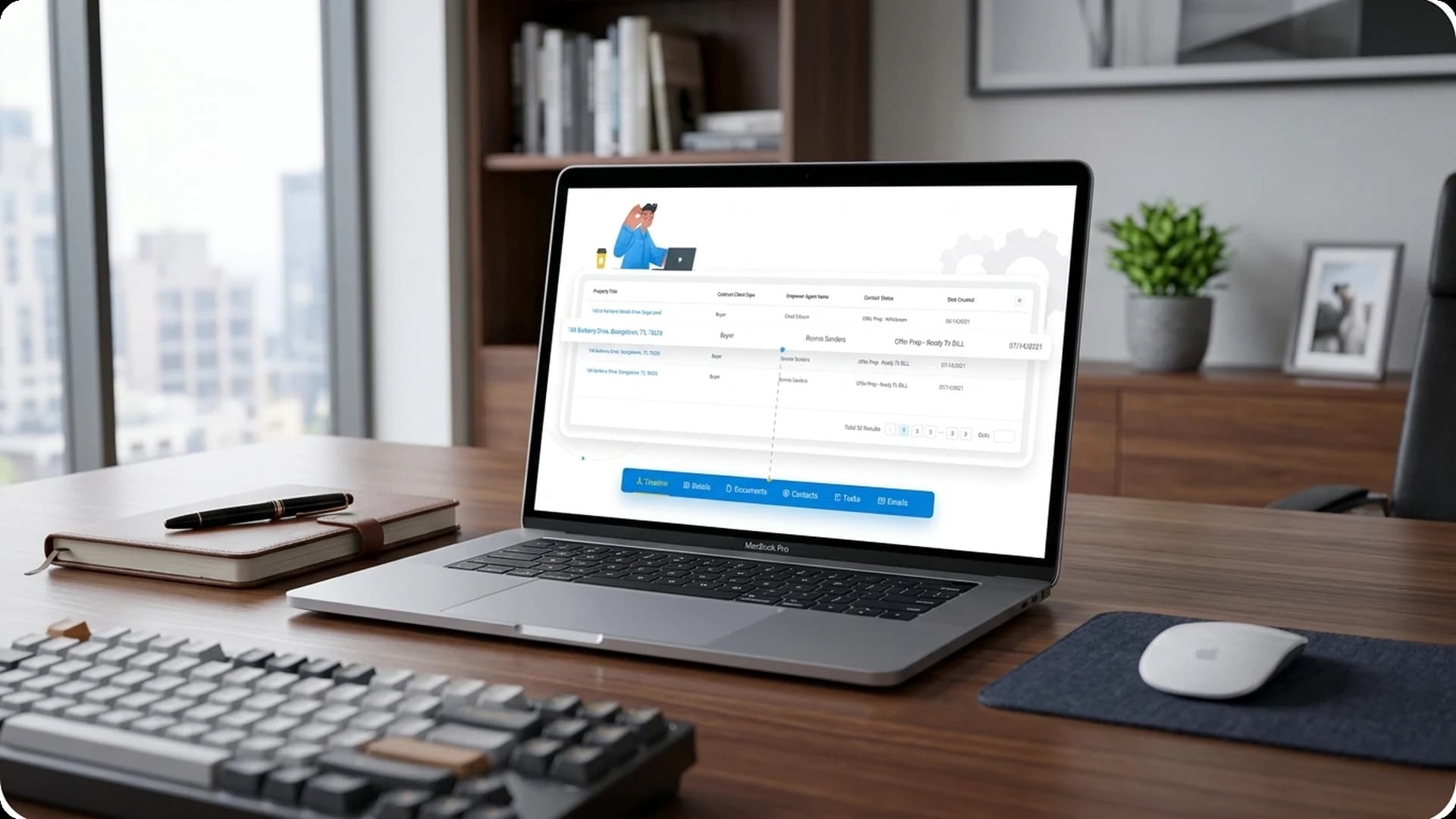
Empower TC is a custom web-based transaction management real estate software. It enables automation of end-to-end transactional functionalities in multiple states of the USA. The real estate tool streamlines every transactional activity from tasks, emails, dates, fields, etc. It covers all the legal aspects to cater one successful transaction like CTC, listing, offer prep, compliance, lease or sale, etc. The transaction software manages niche of coordinators by helping them in processing complete tasks, uploading documents, managing dates, & more. Agents/ brokers/ teams who gave the trasaction/ business can track their overall progress with a limited access given by the admin.
Challenges
Layout Design
User Experience
Our Solution
Responsive Multi-Module Design
Field Customization & Templates
Task & Document Management
CRM & Communication
Features Implemented
Empower TC includes a comprehensive set of features designed to automate and simplify real estate transaction coordination across multiple states.
1. Transaction Dashboard
Transactions that are approved by TC or TCA are listed on the dashboard. It also consists of detailed transactions which are active & unapproved in the system. A user can easily create custom tables & segments as per the requirements and share it by applying appropriate filters. Filters like contacts, client type, teams, date, etc. are assigned seamlessly to view the table more easily. For a particular transaction, it allows a user to differentiate each field by adding a color. A TC has every access from emails, notes, tasks, documents, texts, to property-related details. They can also change the status of fields as and when required.
2. Task Pipeline
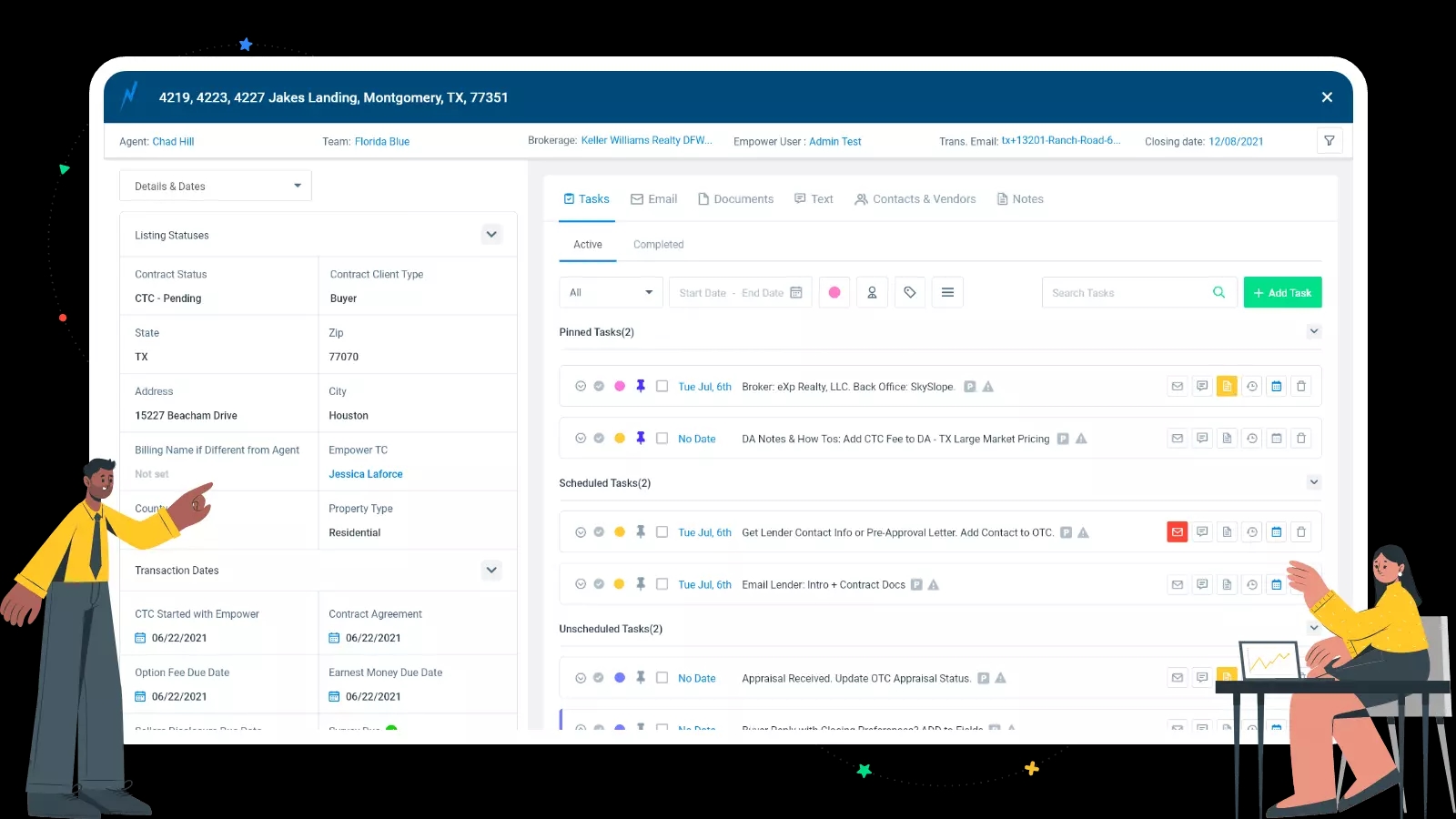
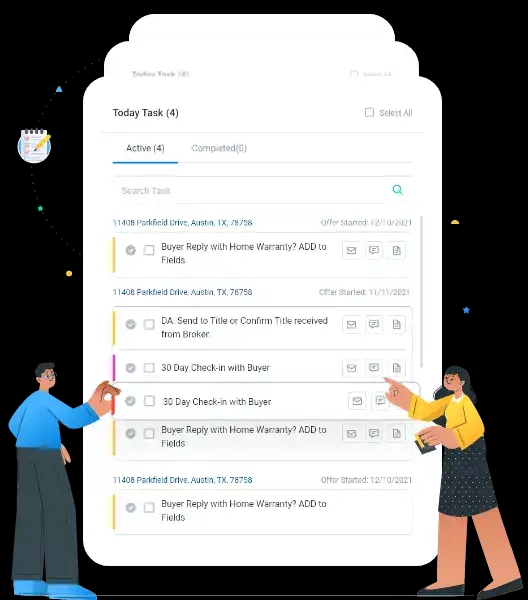
The online transaction management system has a systematic task tracker. It allows a user to check & complete pending tasks by viewing an overview of a week's work. The software also allows to llok into due & unscheduled tasks. One can set tasks as milestones, pin them, group it, assign it to others, color it, search phrases, chain them, sync them, even add them into their Google calendar.
3. Customized Calendar
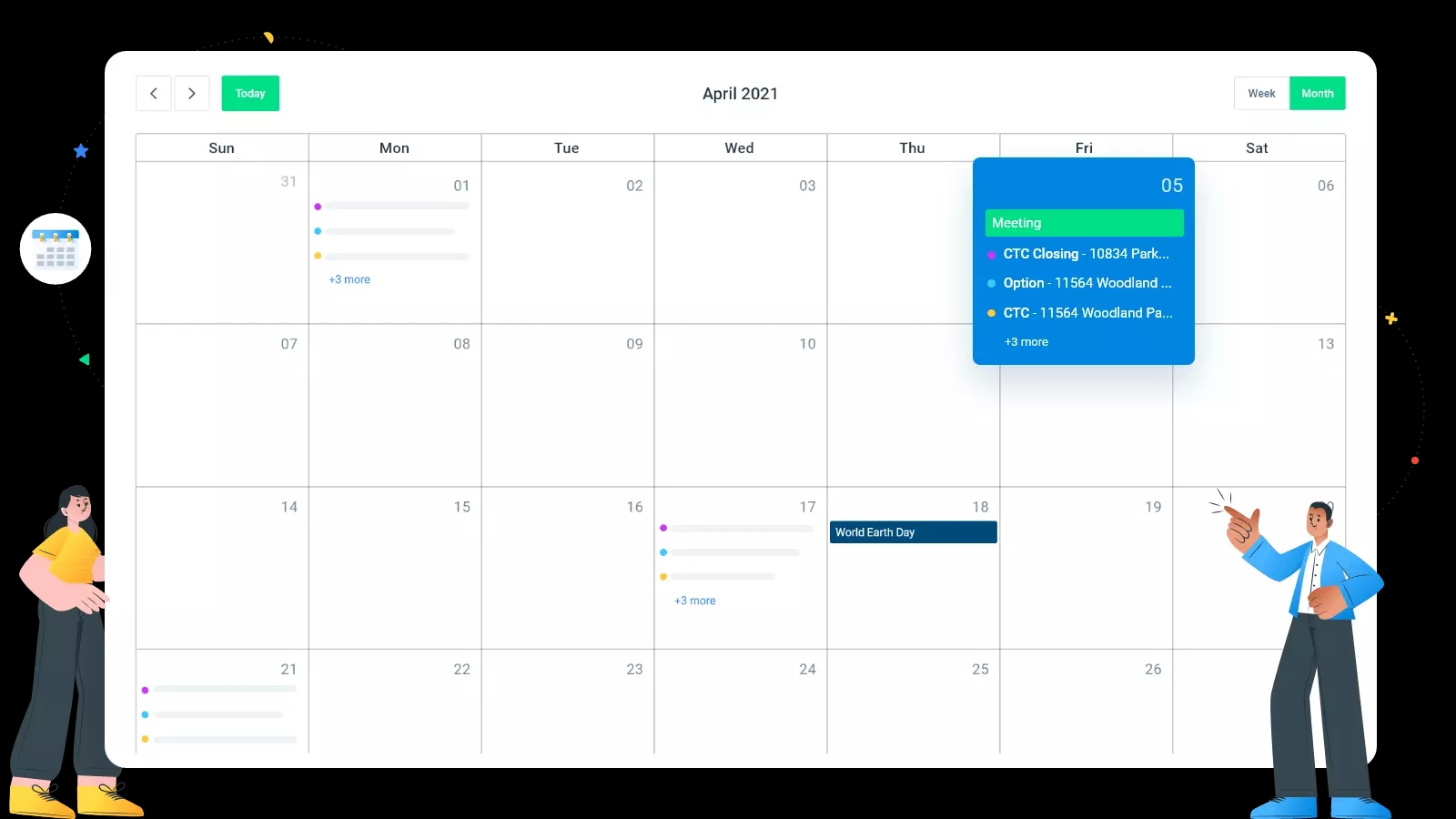
Custom calendar helps users to view critical and important dates of the transaction in a monthly or a weekly manner. Users can create a new calendar easily by applying a few filters. Every calendar has custom filtering, date categories, visibility, and user permissions.
4. Agent/ Team/ Broker Accounts
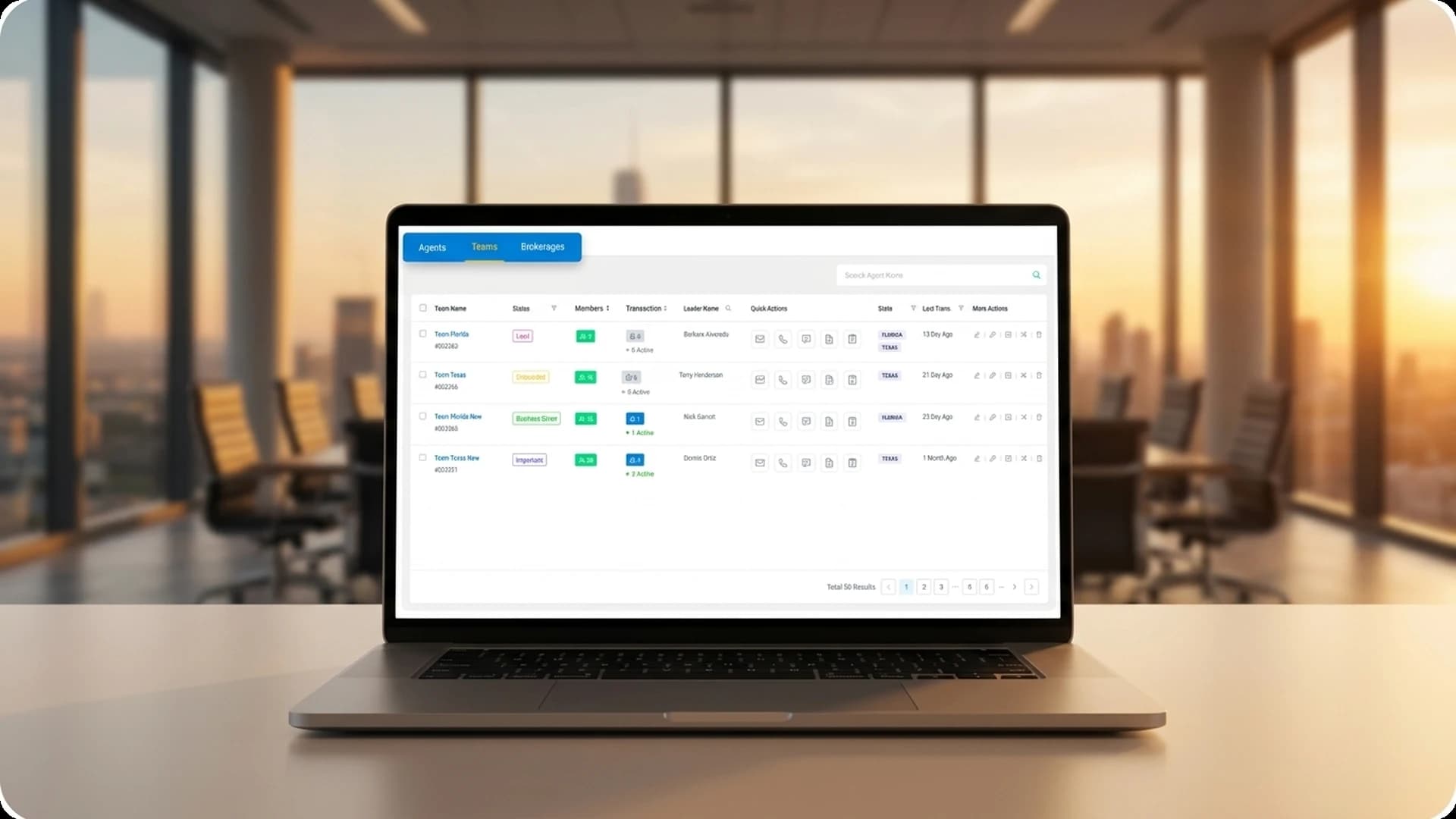
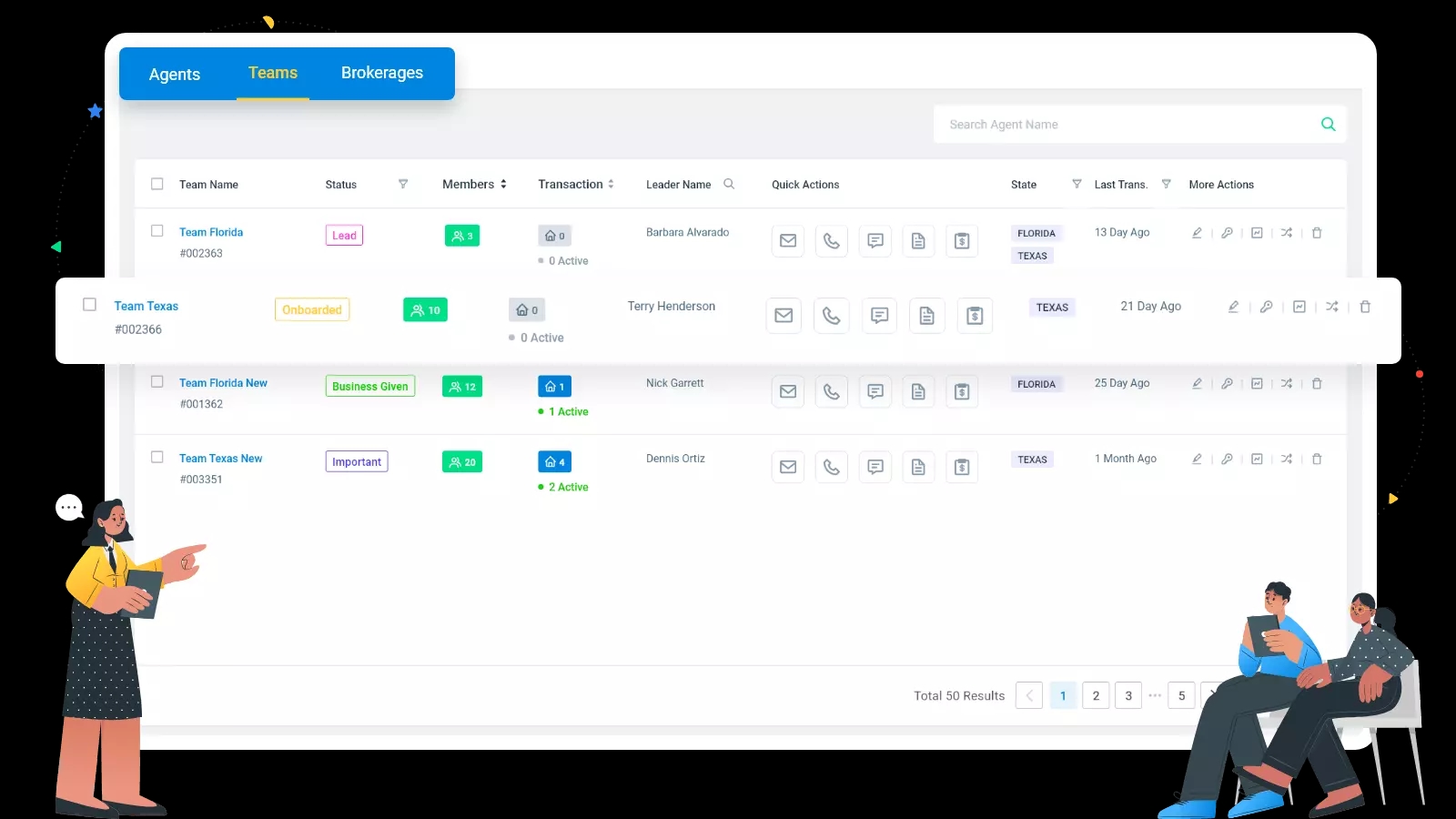
This Module has all the details of the Agent/ Team/ Brokers associated with the system. Each has a different status based on the amount of business they give to TC. TC can perform actions like providing new credentials, viewing activities, impersonating accounts. Quick actions like call, email, chat, notes, etc is also provided to interact with them.
5. Client Portal
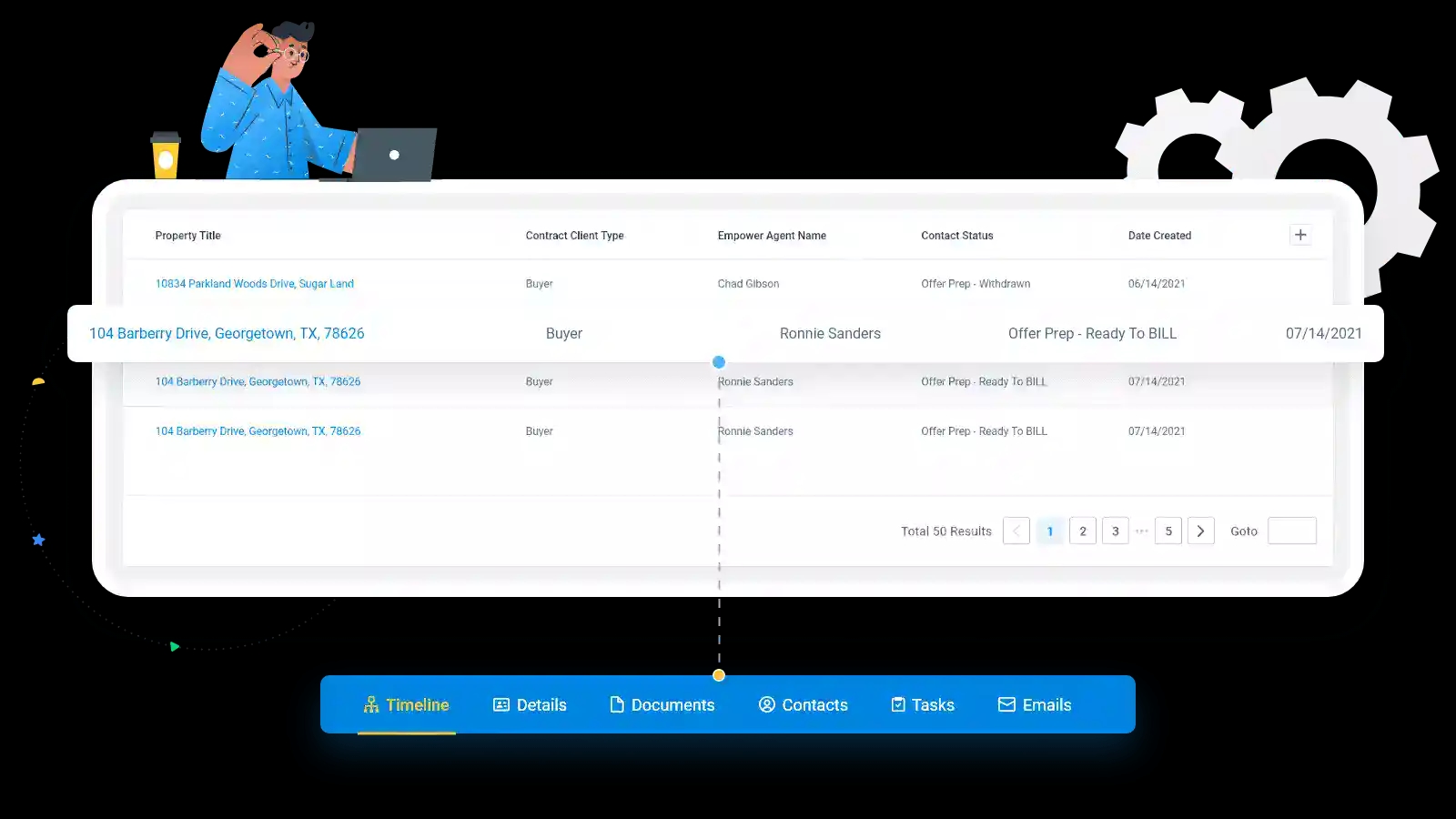
The client portal is the place for seller, buyer, and agent to access transactions. Clients can view a timeline of important dates, tasks, documents, contacts, as well as send direct mails back and forth to TC. Admin is able to set permissions on the client portal so the client will only see what he wants them to see.
6. Dashboard
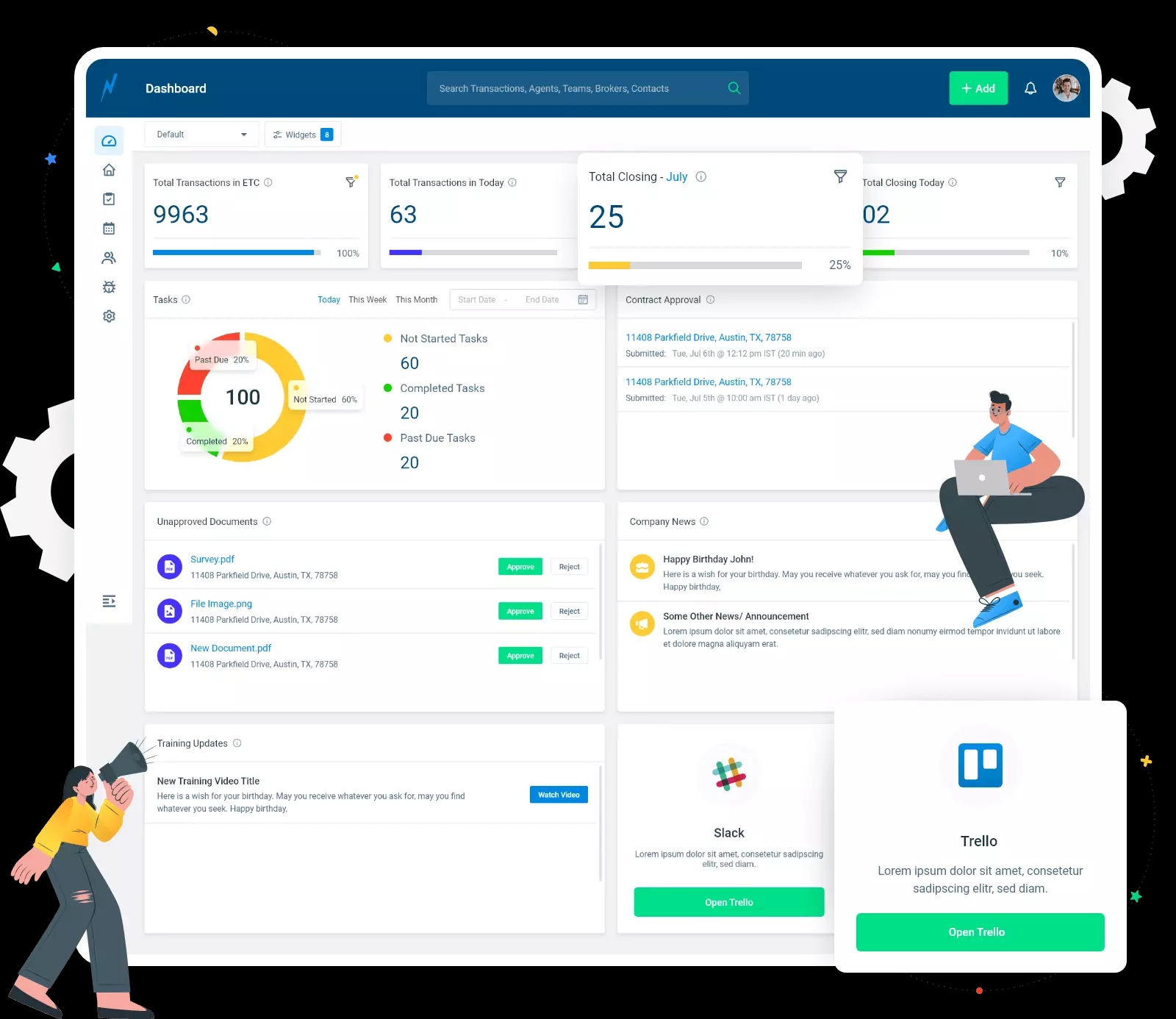
The dashboard allows users to access multiple widgets based on roles. Users can create a view/ new dashboard for their peers with limited access and smart filters. It also has a graphical representation for tasks & transaction tracking. TC can access newly arrived property contracts from the dashboard. The team can directly approve newly arrived documents for the required property. Moreover, for connectivity the software allows easy integration with the management and communication tools like e.g Trello, Slack, etc.
7. Empower Users
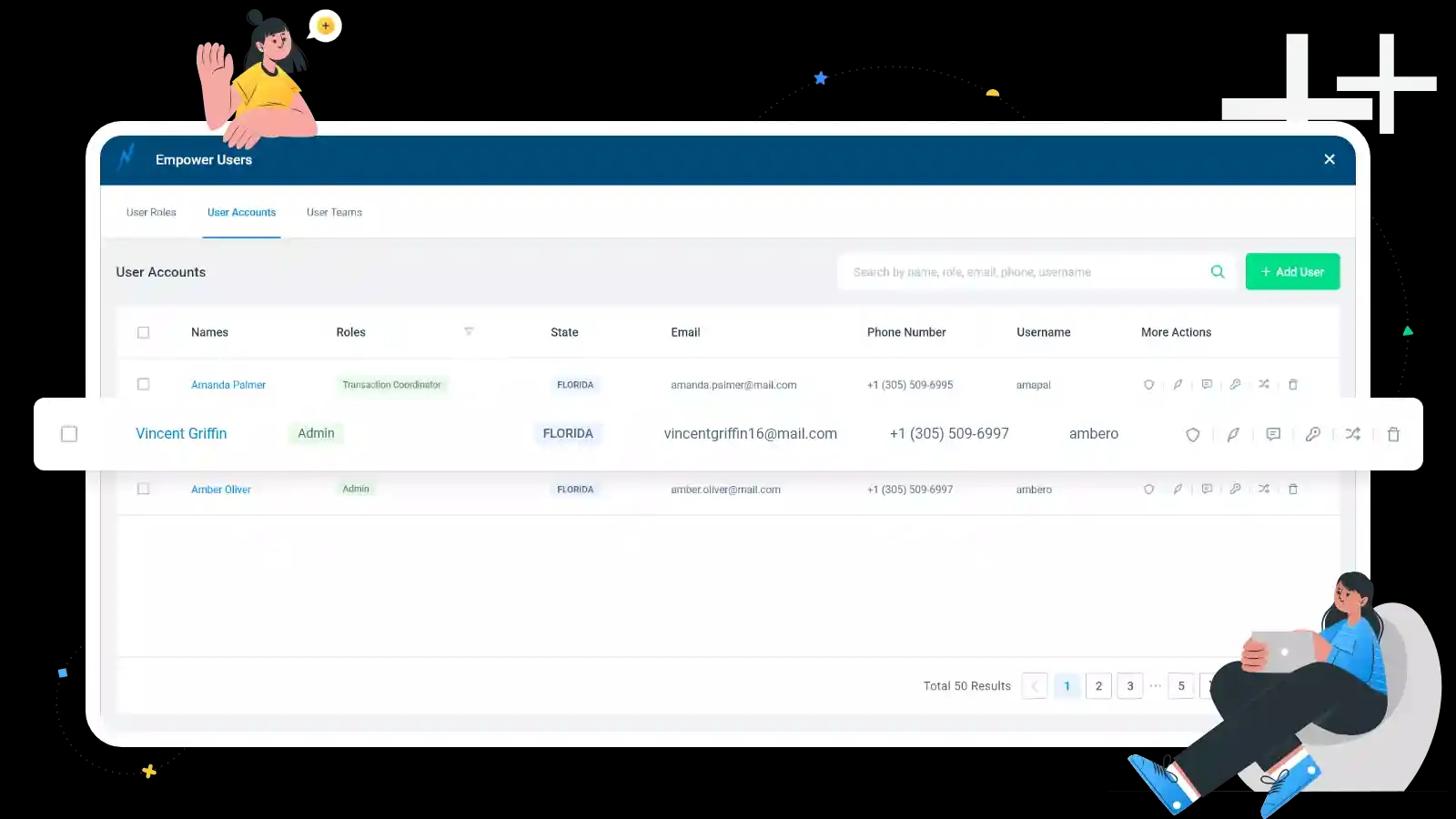
Actual users of the system who define all roles & assign global permissions, task responsibilities, and assign the same to the responsive person. Admin can assign additional permission based on the requirement to any role or user. He can also impersonate any Empower team user account to track their transaction and performance.
8. Dynamic Setup
Dynamic setup allows an individual to set up all the dynamic rules and data relations. There are predifined templates for tasks, dates, properties, documents, fields, email, and tasks. On the other hand, email templates allows a user to set email campaigns. The online transaction management system allows re-usability of templates with merge fields, contact. Pre-loaded attachments, and smart file roles.
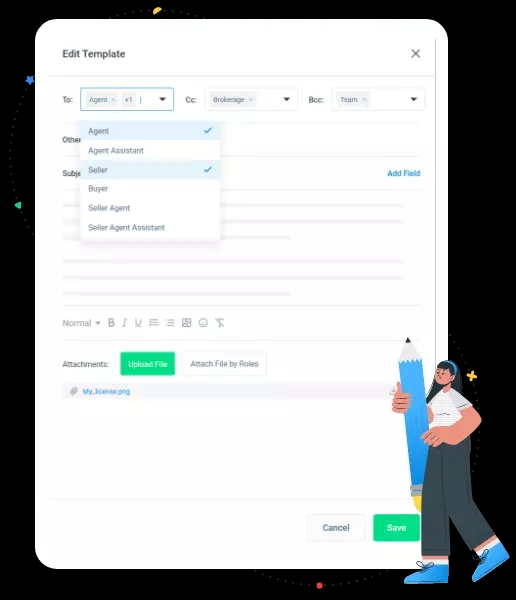
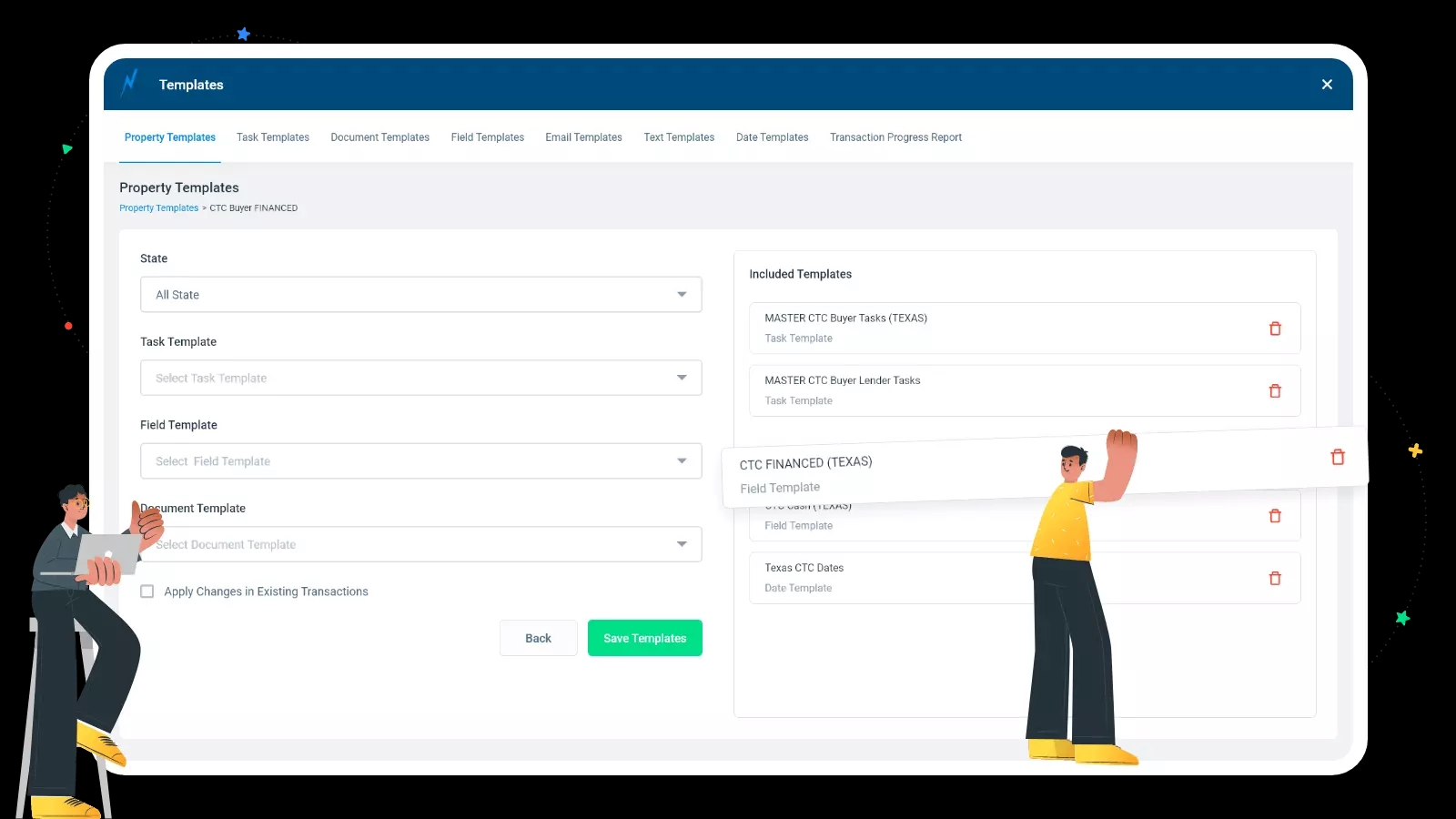
9. Property Templates
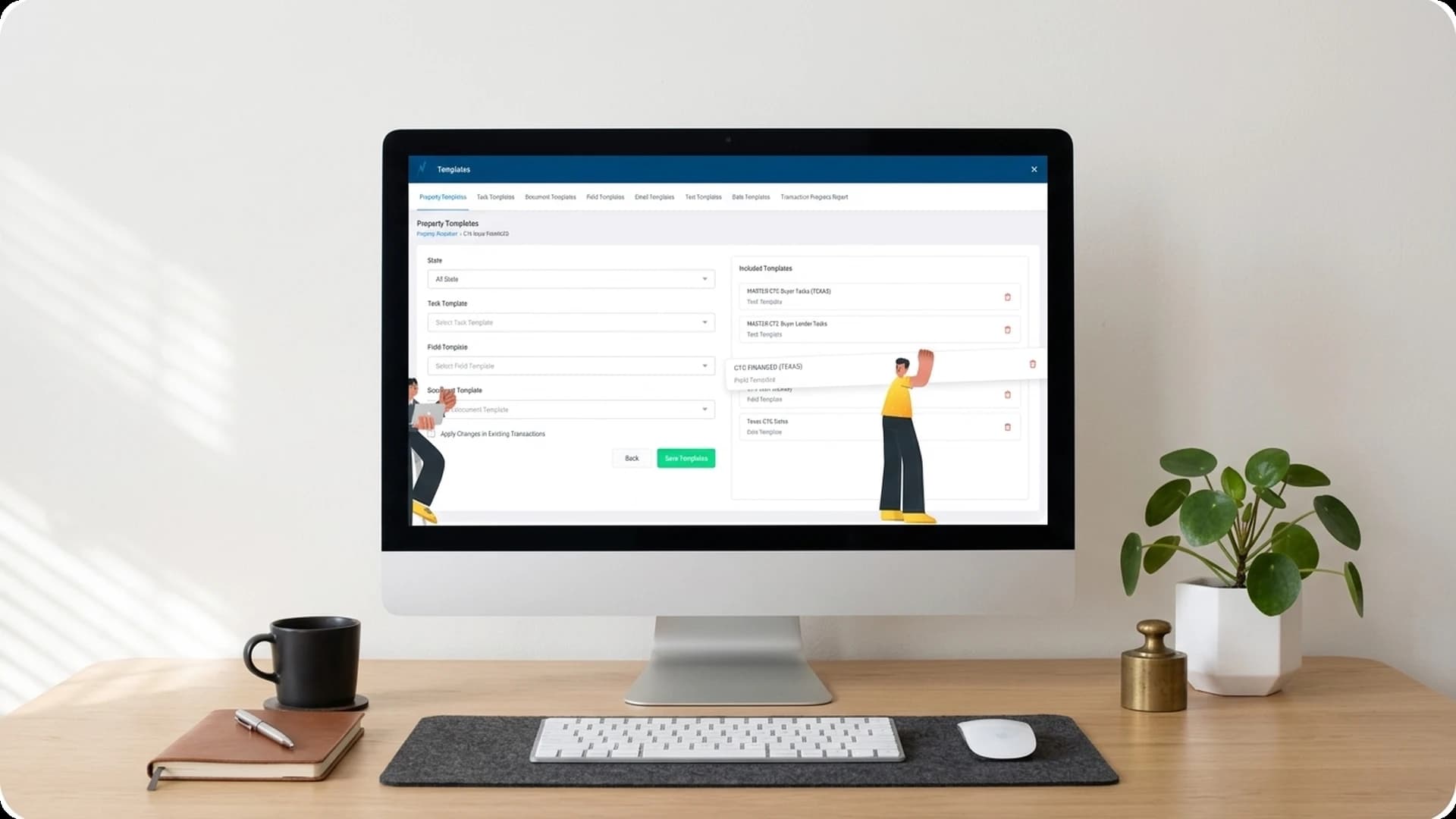
Based on the property type & state, different templates are linked to the property template. These gives a user the ability to stack multiple templates together so that one can apply all at a same time. Users can create new or duplicate templates from the existing ones to add flexibility to the system.
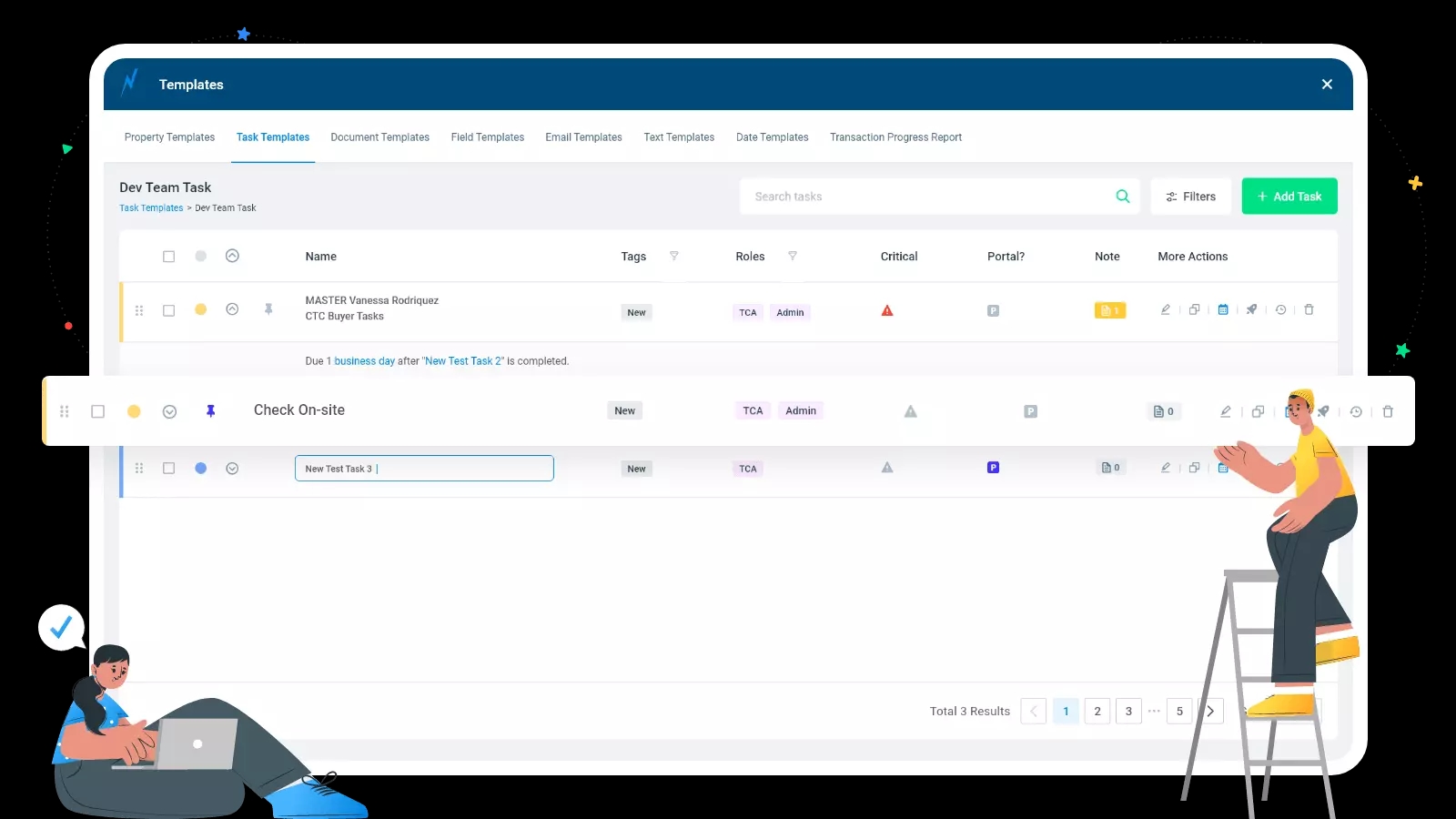
10. Task Template
An individual can define reusable tasks based on transaction and property type. Setup tasks to automatically send emails or texts once they are completed. One can pin the tasks, color-code them, make tasks contingent on one another or set them recurring to keep a better track of work.
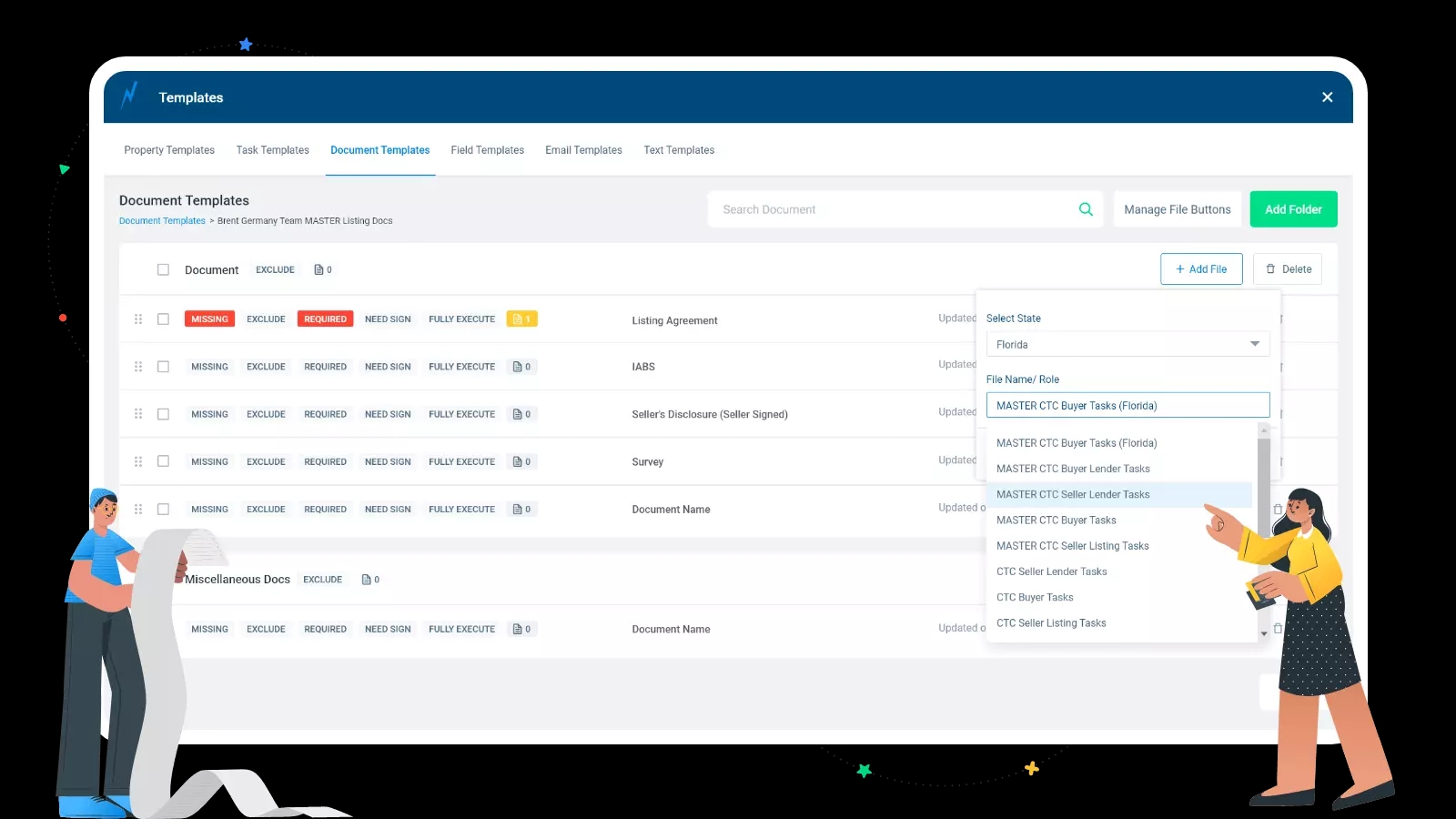
11. Document Template
Documents are very important in any property transaction. Each transaction requires almost 100 documents. Managing documents and fetching a document from a respective person is a must for transaction execution. To make it simple here you can define the reusable templates, track the status of the document, email documents, receive the document via email, organize documents folders, and many more.
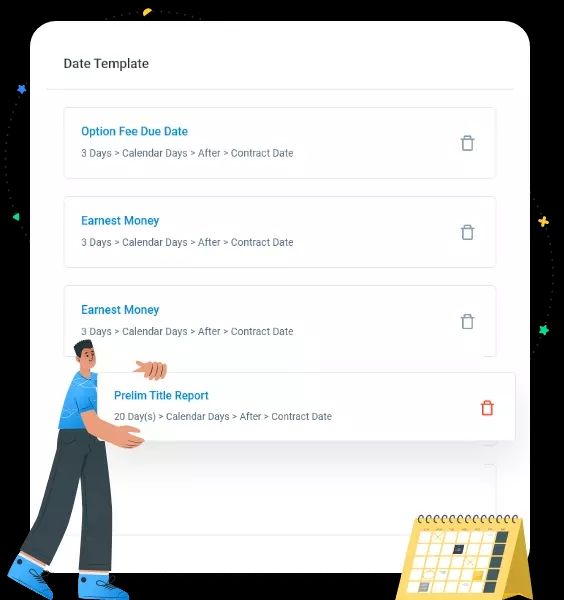
12. Date Template
Dates are very critical to achieve when it comes to the transaction. Here you can define a set of dates for different transactions which can be contingent on one another. It helps to auto-populate dates in transactions or listing.
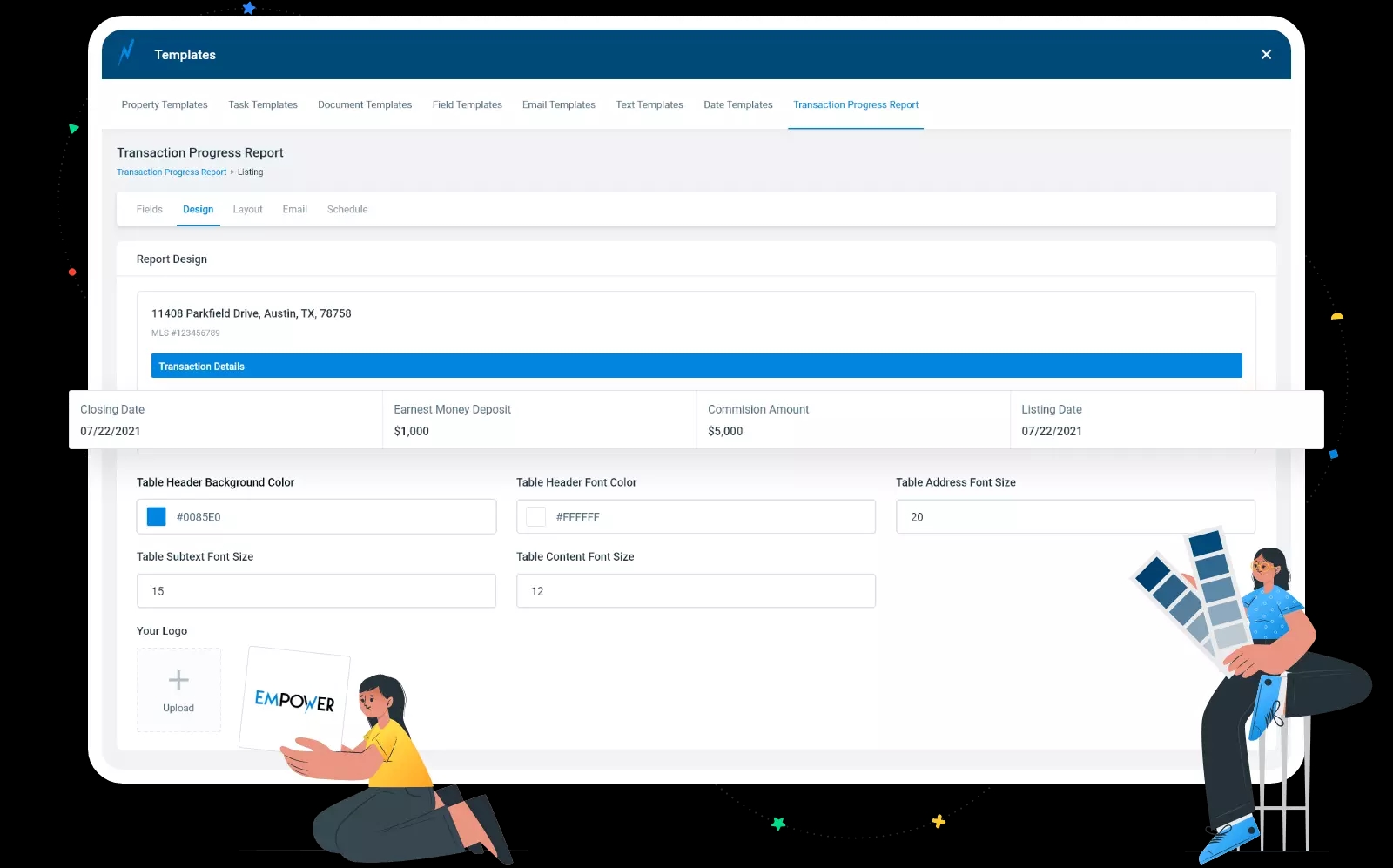
13. Transaction Progress Report
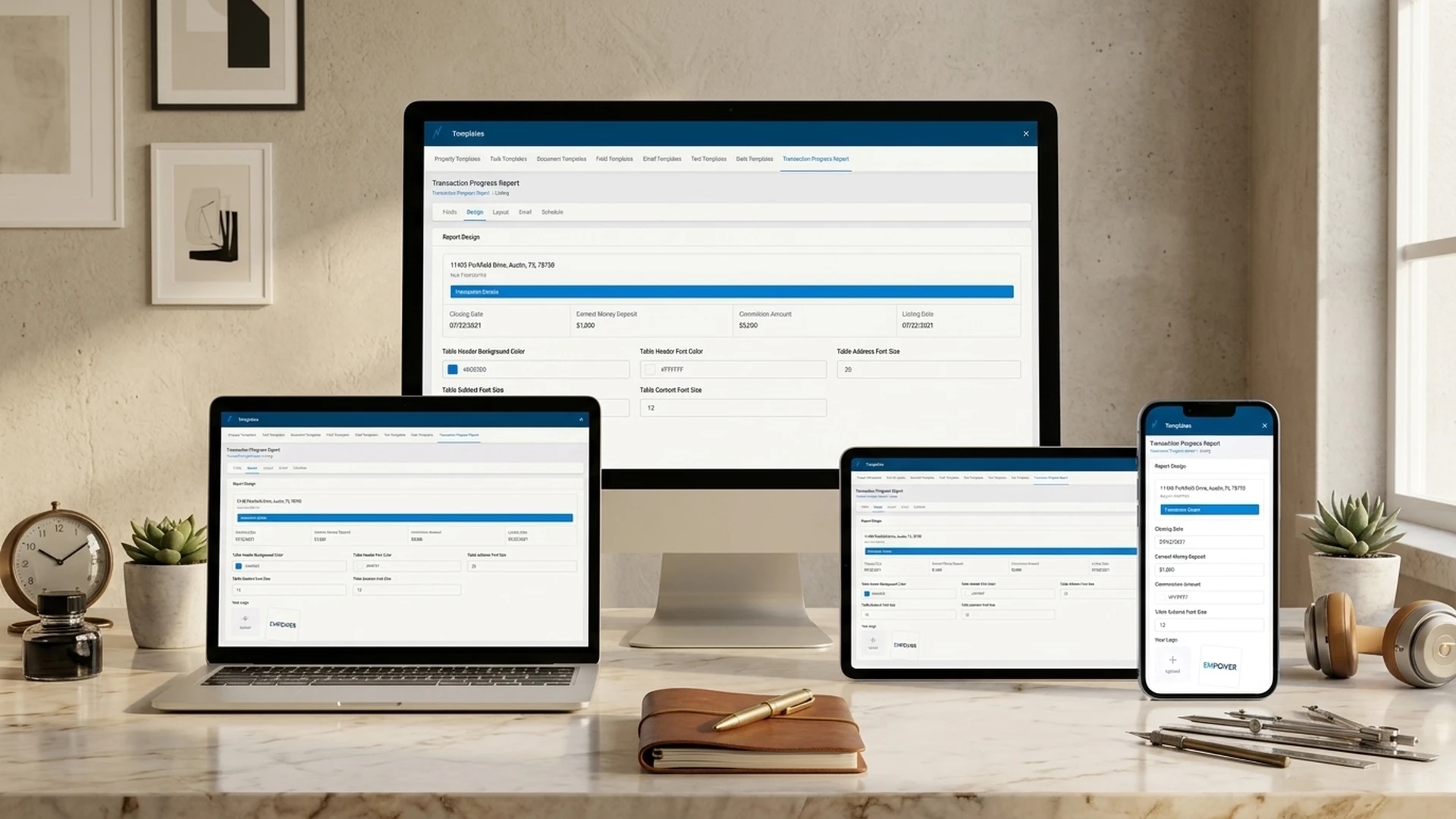
This report manages to keep a user & his team in a loop. Here one can create & schedule reports for daily, weekly, monthly etc. It allows to customize a report with necessary details right from design to layout & attaching every single document for transaction. An individual can report as many transactions & listings, his team members have processed along with their uploaded tasks, emails, & files.
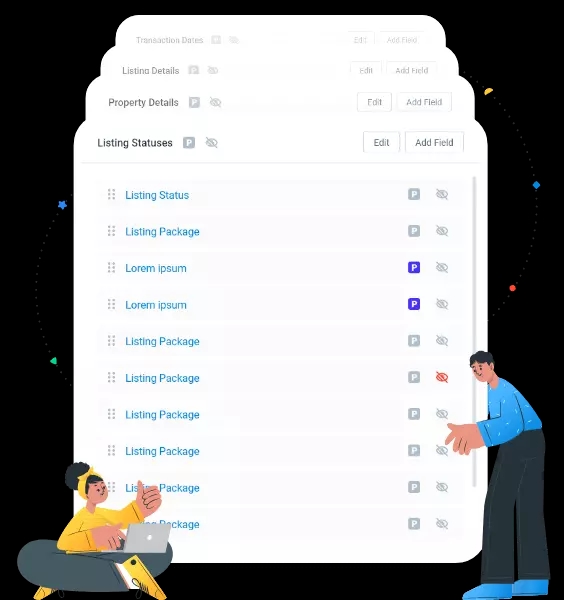
14. Field Editor
A field editor is a functionality where a user can set up all the necessary fields. It allows to create a field as per the requirement for transactions. In addition, every field automatically creates a merge field that can be used inside of an email and text template. Different fields like text, textarea, number, decimal, file, date, are created by the users in the transaction software online.
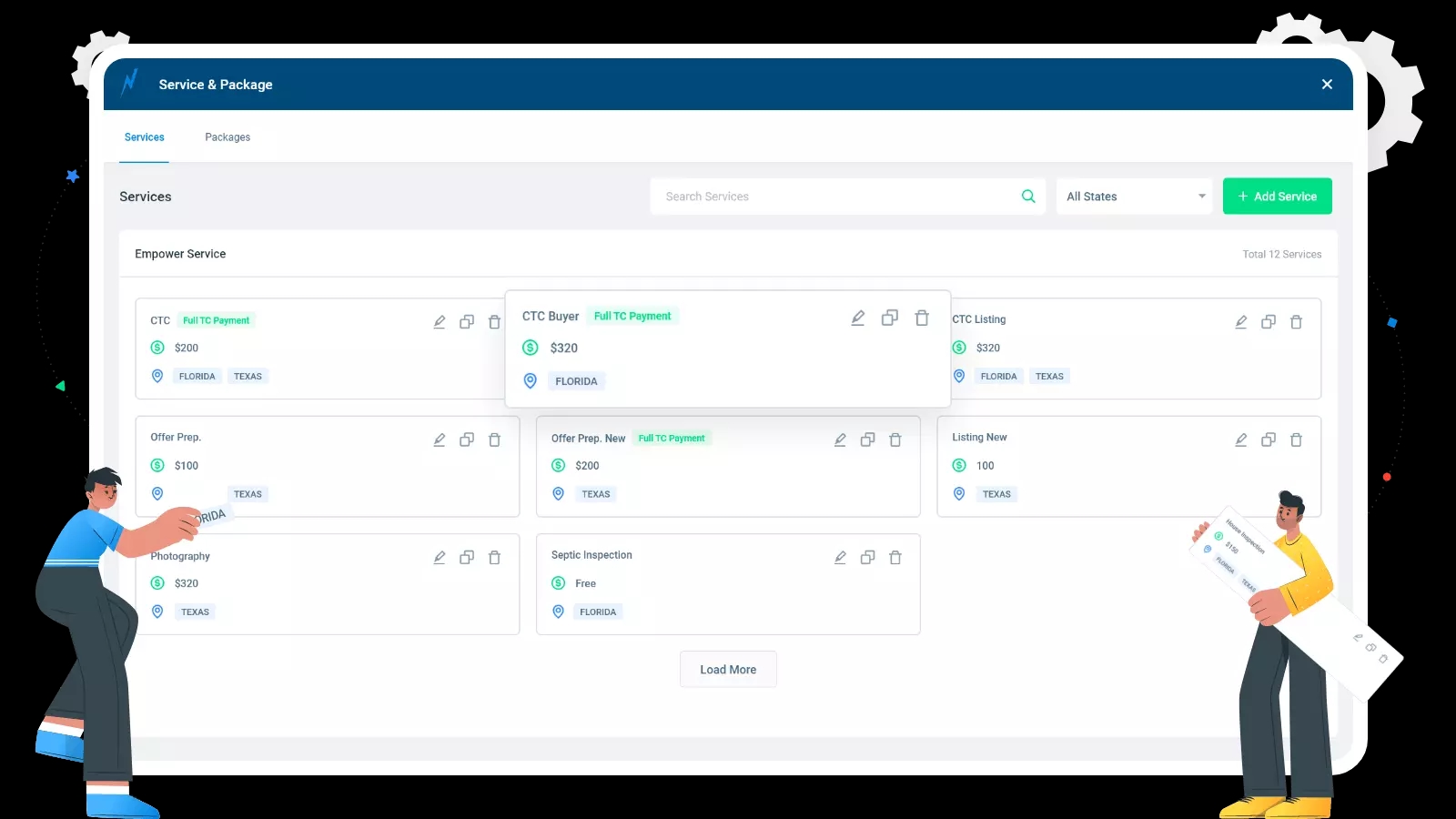
15. Service and Packages
This is a major functionality for the admin where admin can define different services and its costing. Admin can create different packages i.e. combination of multiple services. The system allows the creation of custom packages as per the user's requirement and makes it available for them to subscribe. It allows subscription of packages with varied costings differing from state to state.
Conclusion
Empower TC is a comprehensive real estate transaction management platform built to automate end-to-end property transaction workflows across multiple US states. With 300+ screens covering task management, document handling, calendar integration, and client portals, the system simplifies the daily operations of transaction coordinators, agents, brokers, and teams.


READY TO BUILD YOUR REAL ESTATE PLATFORM?
Let us help you build a custom real estate transaction management solution tailored to your business needs.
More Projects